

Build a Visual Git Client
Create a visual Git interface for staging, committing, and viewing diffs without the command line.
Describe what you need
Git is powerful but the command line isn't for everyone. Build a visual interface that shows exactly what's happening in your repository.
Create a Git GUI app that:
- Shows changed files in the working directory
- Lets me stage/unstage files with checkboxes
- Shows diffs with syntax highlighting for additions and deletions
- Lets me write commit messages and commit selected files
- Shows commit history with the ability to undo the last commit
- Supports push to remote
- Lets me switch between repositories
Watch Moldable build it
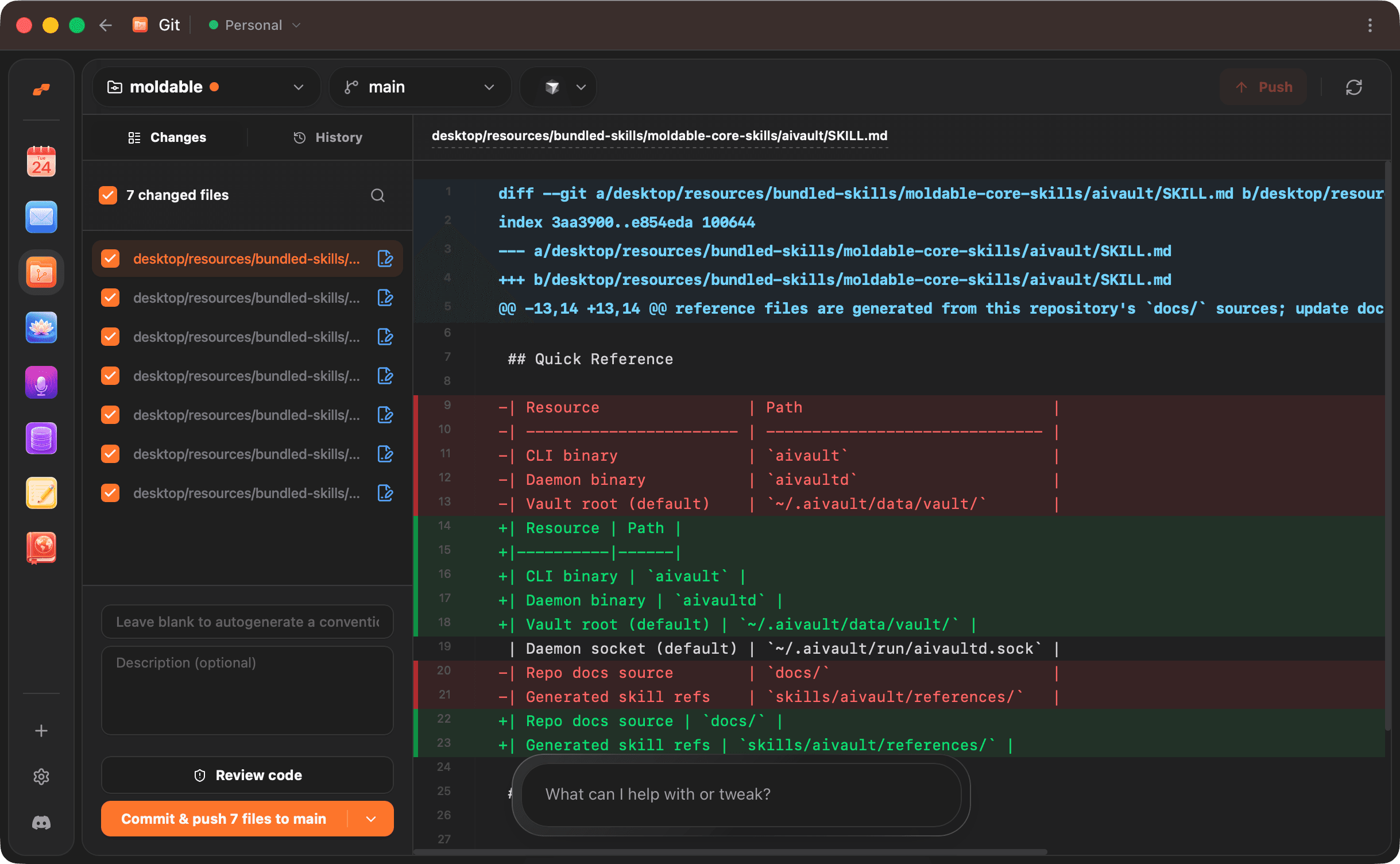
Moldable creates a clean Git interface with a file list, diff viewer, and commit controls.
From Moldable
I'll create a Git GUI with staging and diff viewing.
Setting up the app...
✓ Created file list with change indicators
✓ Built checkbox staging for selective commits
✓ Added unified diff viewer with syntax highlighting
✓ Created commit form with summary and description
✓ Built commit history view
✓ Added push and undo functionality
✓ Repository picker with recent repos
Your app is ready! Open a repository to start.
Customize and extend
Add Git features you use most.
Add branch creation
Let me create and switch branches from the UI
Add pull/fetch
Add buttons to pull changes from remote and fetch updates
Add merge conflict resolution
Show merge conflicts in a side-by-side view and let me resolve them
Tips for best results
Review diffs before committing
Always check the diff to make sure you're committing what you intend to commit.
Write meaningful commit messages
The summary should describe what changed. Use the description for context about why.
Commit often
Small, focused commits are easier to understand and revert if needed.
Ready to build your own?
Download Moldable and start creating apps that work exactly the way you want.
Download Moldable