

Build a Notes App Like Google Keep
Create a Google Keep-style notes app with masonry layout, labels, pinning, and rich text editing.
Describe what you need
Note-taking apps come in many flavors. Describe exactly how you want yours to work — from simple sticky notes to a full organizational system.
Create a notes app like Google Keep where I can:
- Create notes with a title and rich text content using Moldable's editor
- Pin important notes to the top
- Add labels to organize notes
- Archive and delete notes
- Search through all my notes
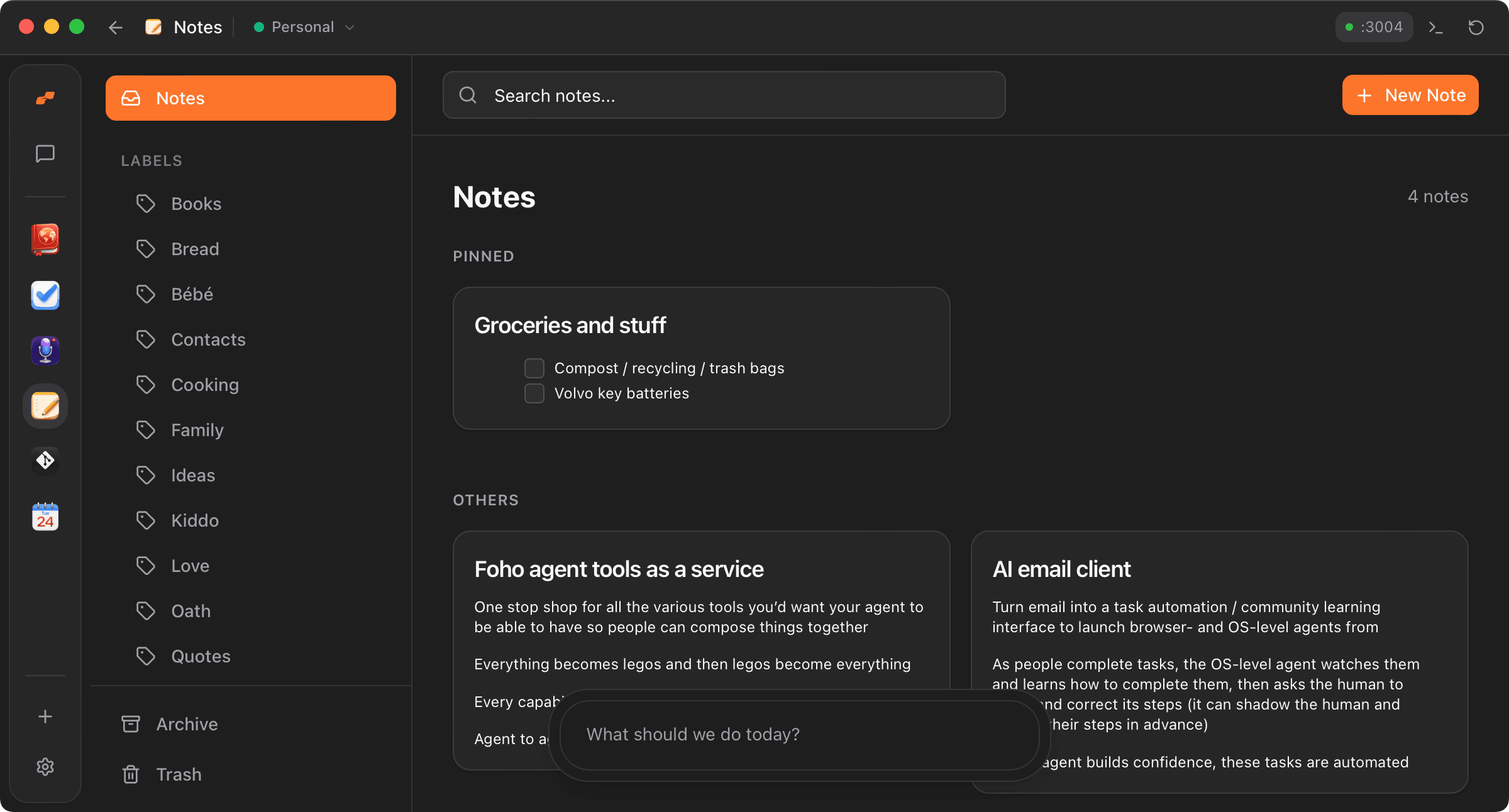
- Show notes in a masonry grid layout
Watch Moldable build it
Moldable creates a complete notes app with a responsive masonry layout, label management, and full-text search.
From Moldable
I'll create a Google Keep-style notes app.
Setting up the app...
✓ Created masonry grid layout for notes
✓ Added rich text editor with Markdown support
✓ Built pinning system for important notes
✓ Created label management in sidebar
✓ Added archive and trash functionality
✓ Implemented full-text search
Your app is ready! Click "New Note" to get started.
Customize and extend
Add features that match your note-taking style.
Add color coding
Let me assign colors to notes for visual organization
Add reminders
Let me set reminders on notes that notify me at a specific time
Add collaboration
Let me share notes and collaborate with others in real-time
Tips for best results
Use labels consistently
Create a labeling system that works for you and stick to it. Labels make it easy to find related notes.
Pin sparingly
Only pin notes you need quick access to. Too many pinned notes defeats the purpose.
Use the search
Don't worry about perfect organization — the search finds notes by title, content, and labels.
Ready to build your own?
Download Moldable and start creating apps that work exactly the way you want.
Download Moldable