

Build a Personal To-Do List App
Create a task manager with priorities, filters, and keyboard navigation for staying productive.
Describe what you need
Todo apps range from simple checklists to full project management systems. Describe the features that actually help you get things done.
Build a todo app that:
- Lets me quickly add tasks
- Supports priority levels (high, medium, low)
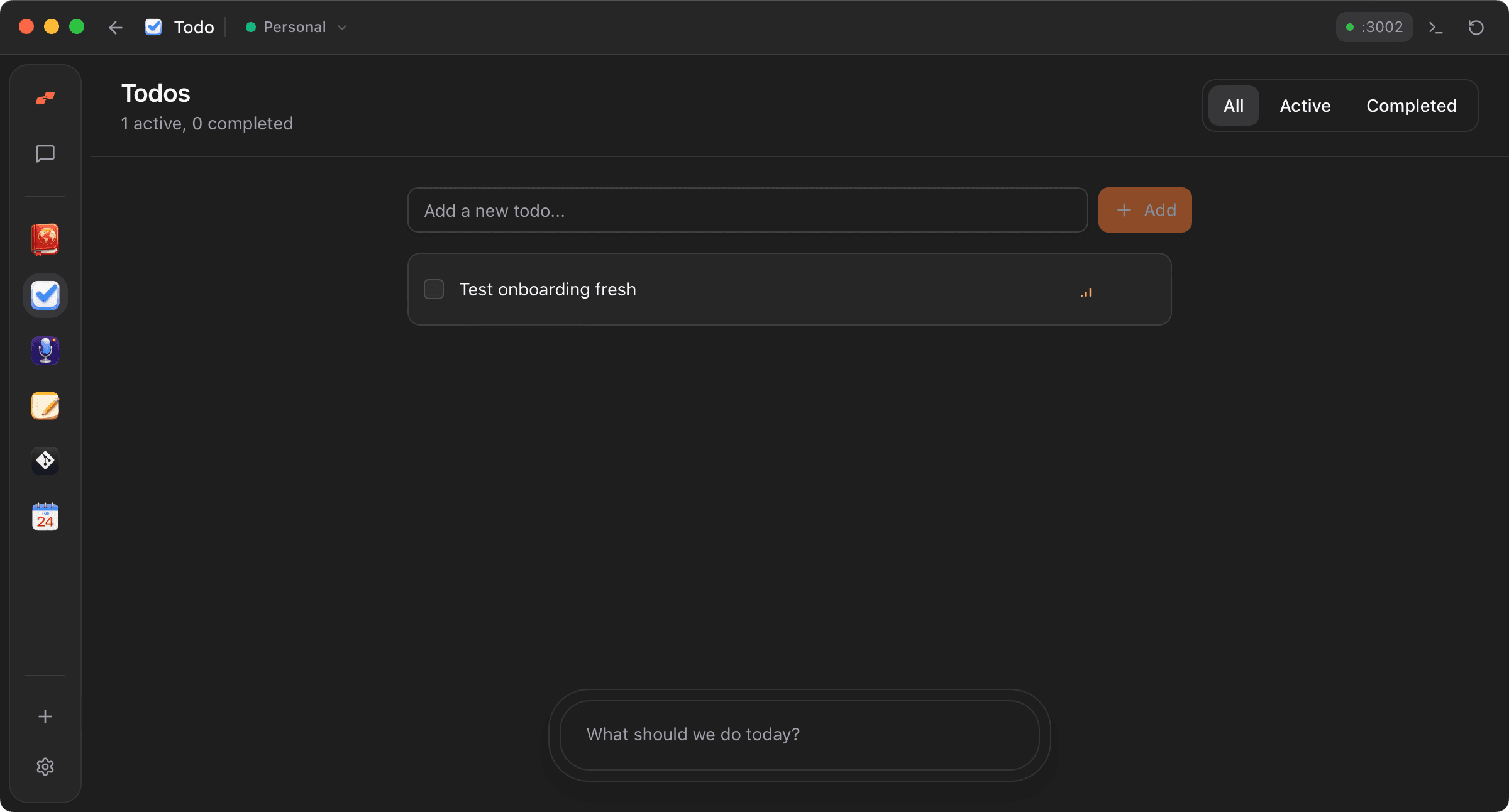
- Filters between all, active, and completed tasks
- Sorts by priority and completion status
- Supports keyboard navigation (arrow keys, Enter to create new)
- Stores everything locally
Watch Moldable build it
Moldable creates a focused todo app with smart sorting and keyboard shortcuts for power users.
From Moldable
I'll create a todo app with priorities and keyboard navigation.
Setting up the app...
✓ Created task list with quick-add input
✓ Added priority levels with visual indicators
✓ Built filter tabs (all, active, completed)
✓ Implemented smart sorting by priority and status
✓ Added keyboard navigation between tasks
✓ Local storage for persistence
Your app is ready! Start adding tasks.
Customize and extend
Add features to match your productivity style.
Add due dates
Let me set due dates on tasks and show overdue items in red
Add projects
Let me organize tasks into projects or lists
Add recurring tasks
Support recurring tasks that automatically reappear on a schedule
Tips for best results
Use priorities intentionally
Not everything is high priority. Reserve high for tasks that truly need immediate attention.
Review completed tasks
The completed filter shows what you've accomplished. Review it when you need motivation.
Learn the keyboard shortcuts
Arrow keys navigate, Enter creates new tasks below the current one. Your hands never leave the keyboard.
Ready to build your own?
Download Moldable and start creating apps that work exactly the way you want.
Download Moldable