

Build an Interactive 3D Science App
Turn a science question into an image and interactive 3D specimen you can rotate, light, and investigate.
Author:Moldable
Category:Education
Generated specimensInteractive 3DGuided exploration

1
Begin with a real question
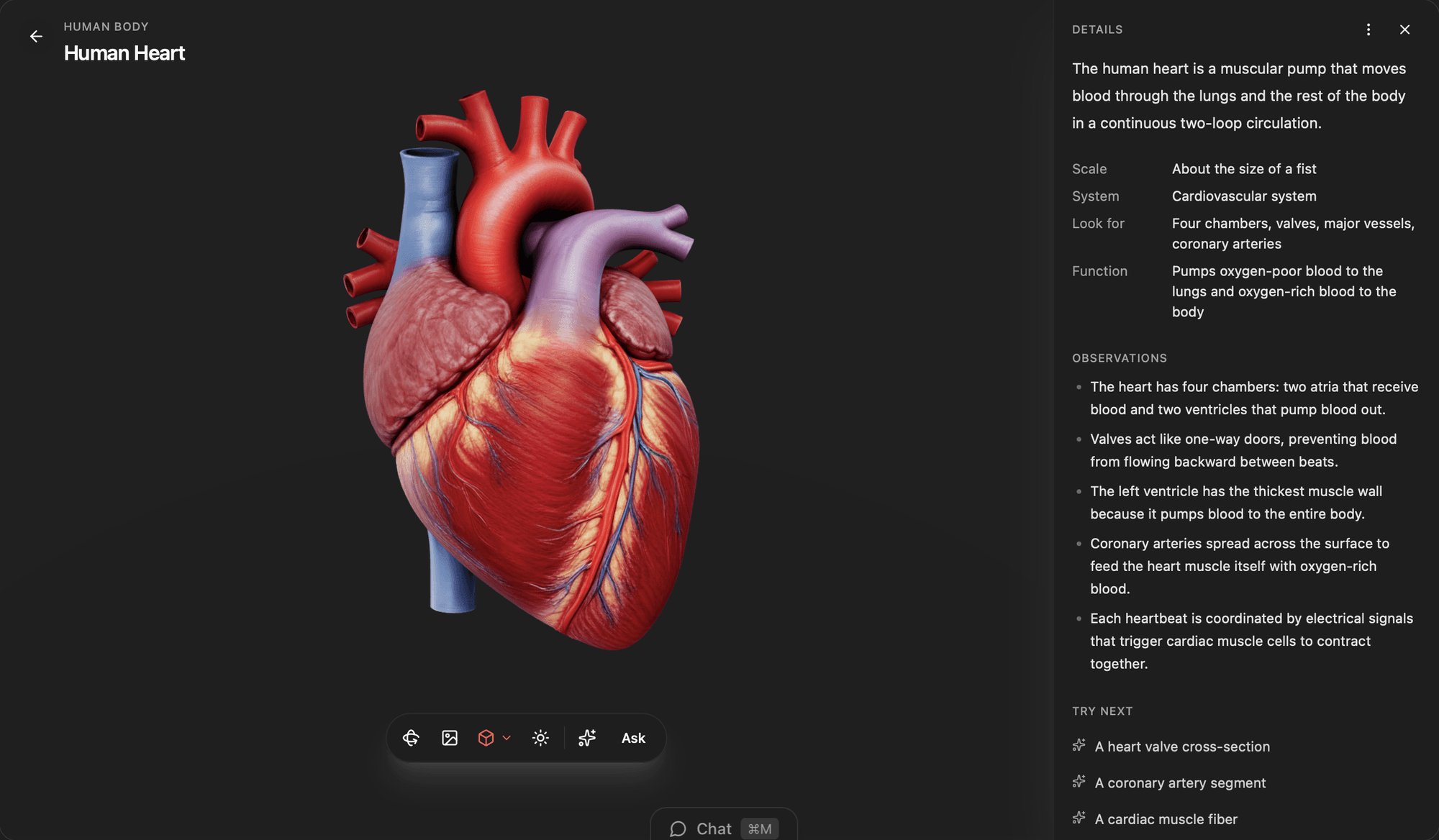
Choose anything from a cell to a galaxy. Microscope creates a science image first, then prepares an interactive model in the background.
Explore a plant cell for a middle-school lesson:
- Clearly show the cell wall, chloroplasts, vacuole, and nucleus
- Use a cutaway view so the structures are easy to locate
- Explain what each part does in plain language
- Add three questions a learner can answer by inspecting the model
2
Inspect it from every angle
Rotate the model, adjust its lighting, and move between the generated image, depth relief, and available 3D variants.
Add guided labels
Add optional numbered labels that reveal the name and function of each structure when tapped
Compare specimens
Put this beside an animal cell and highlight the structures that differ
3
Create a learning trail
Save related specimens into a collection and ask Moldable to adapt the explanations or follow-up questions for your learner.
Create a collection called Inside a Leaf and suggest the next three specimens to explore
Ready to build your own?
Download Moldable and start creating apps that work exactly the way you want.
Download Moldable