


Calendar
Moldable
Integrated multi-account calendar with Google Calendar connections
About
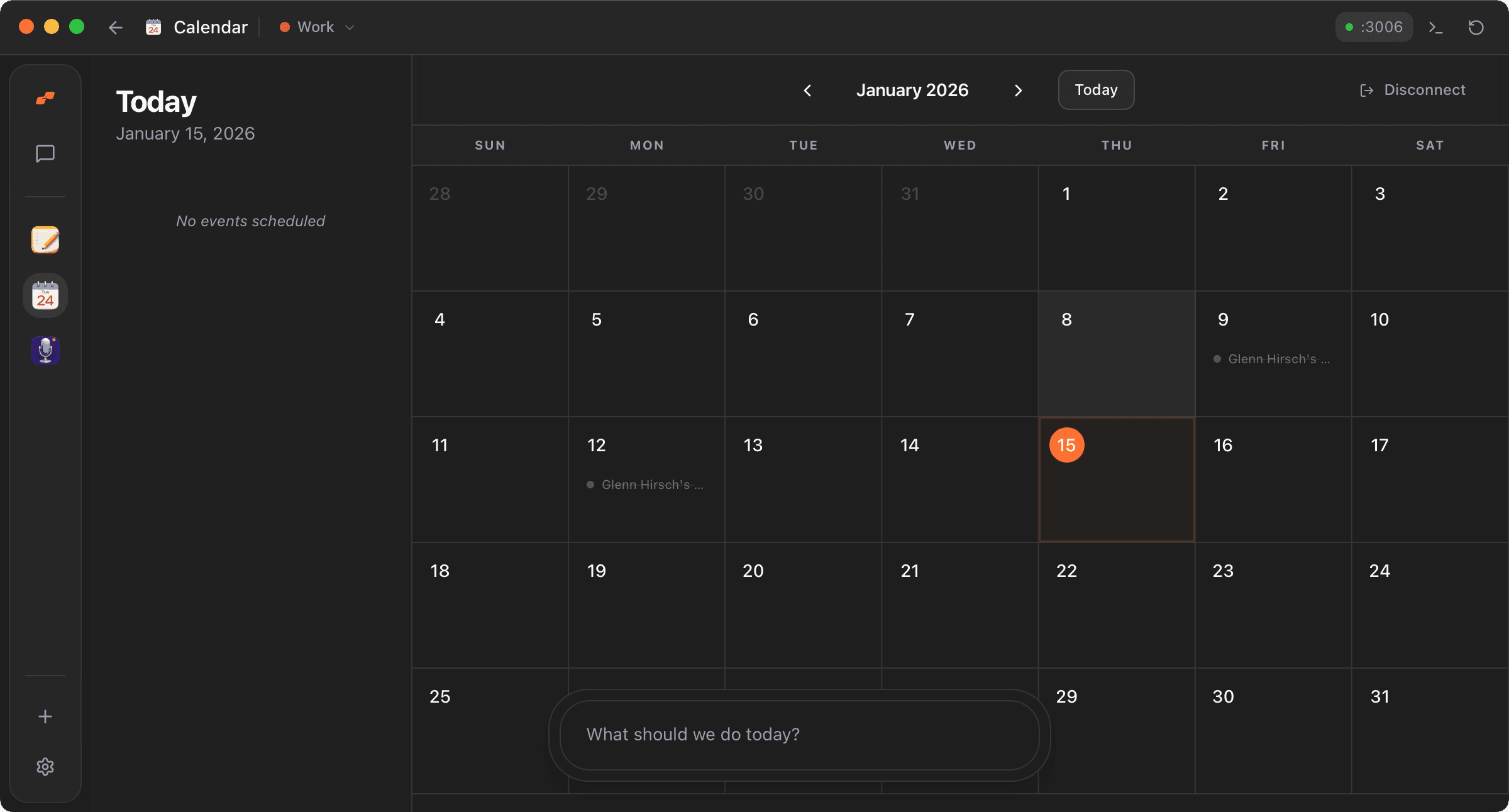
Calendar connects securely to one or more Google Calendar accounts and pairs a full month grid with a focused daily agenda, so you always see both the big picture and what's next. Your whole schedule lives in a fast, local-first view with account-specific filtering when you need it.
Highlights
- Full-bleed month grid with a compact mini calendar, focused daily agenda, and Moldable-native toolbar controls
- Color-coded events that mirror Google Calendar's color labels, with all-day events pinned to the top
- A unified All Calendars view plus fast switching, reconnection, and targeted disconnect for each Google account
- Click any event for a detail card with RSVP controls, attendee status, and organizer-safe add/edit/remove invitee tools
- Navigate months by buttons, mouse wheel, or touch swipe, with a one-tap Today jump
- Past events automatically dim and strike through so the day's remaining schedule stands out
Connects to: Google Calendar via OAuth. Your tokens and calendar data are stored locally on your device and never leave your machine.
Beyond its own views, Calendar can share your schedule with other Moldable apps you approve, exposing today's events, upcoming events, date-range and keyword search, RSVP responses, and explicit invitee add/edit/remove RPCs so your other tools can act on your real availability. Install it for a private, polished calendar that doubles as schedule context for everything else you build.
Get this app
- 1. Download and open Moldable.
- 2. Open the Store and install Calendar in one click.
- 3. It updates itself over time — nothing to maintain.
More apps

Artifacts
Turn a chat into a beautiful, self-contained, publishable web page or slide deck — dashboards, landing pages, specs, charts, data stories, games, and 3D scenes.

Affirmations
Daily affirmations across ten themes, saved to your favorites

Bookmarks
Save on X. Find it here.
Calculator
Everyday, scientific, and unit/currency math — with history