


Chess
Moldable
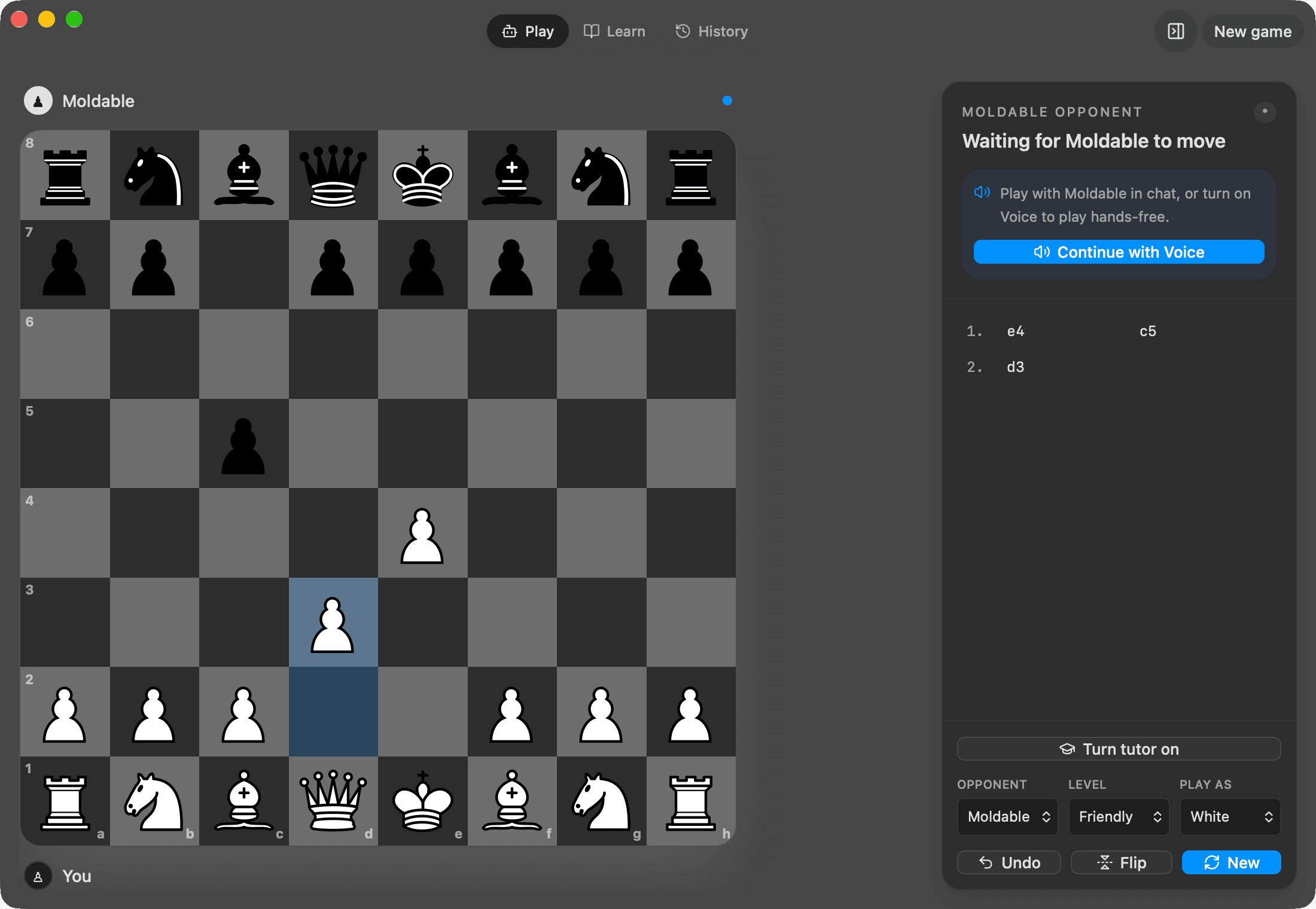
Play chess with Moldable or a local Stockfish engine, learn from guided positions, and replay your games.
About
Make your next move with Moldable or Stockfish.
Play chess against Moldable in chat, continue hands-free with Voice, or choose Stockfish 18 for a local chess-engine opponent. Practice guided positions, turn on the tutor, and replay past games to see how a position developed.
- Play as White or Black at friendly, club, or master difficulty.
- Choose Moldable, the optional Stockfish engine, or a simple local opponent.
- Play with another person on the same board.
- Explore guided lessons, hints, and your saved game history.
- Continue on your paired iPhone with the same workspace and game state.
Optional Stockfish engine
Stockfish installs on demand: a one-time download of about 16 MB, then local
play on your desktop. It uses the pinned Lichess @lichess-org/stockfish-web
0.4.2 build of Stockfish 18 smallnet. No Stockfish binary or personal game
history is bundled in the app release.
Open source and attribution
Chess's own code is AGPL-3.0-or-later, with a specific additional permission for its Moldable UI and storage dependencies. Stockfish retains its upstream notices; the pinned package declares AGPL-3.0-or-later in its metadata but ships a GPLv3 LICENSE file. Chess-piece artwork is by jurgenwesterhof, adapted from Colin M. L. Burnett (Cburnett), under CC BY-SA 3.0.
Chess source and license include the full terms, third-party attribution, and exact engine-source links.
Get this app
- 1. Download and open Moldable.
- 2. Open the Store and install Chess in one click.
- 3. It updates itself over time — nothing to maintain.
More apps
Artifacts
Turn a chat into a beautiful, self-contained, publishable web page or slide deck — dashboards, landing pages, specs, charts, data stories, games, and 3D scenes.

Affirmations
Daily affirmations across ten themes, saved to your favorites

Bookmarks
Save on X. Find it here.
Calculator
Everyday, scientific, and unit/currency math — with history