

Clock
Moldable
Alarms, multiple timers, a stopwatch, and world clocks — all local.
About
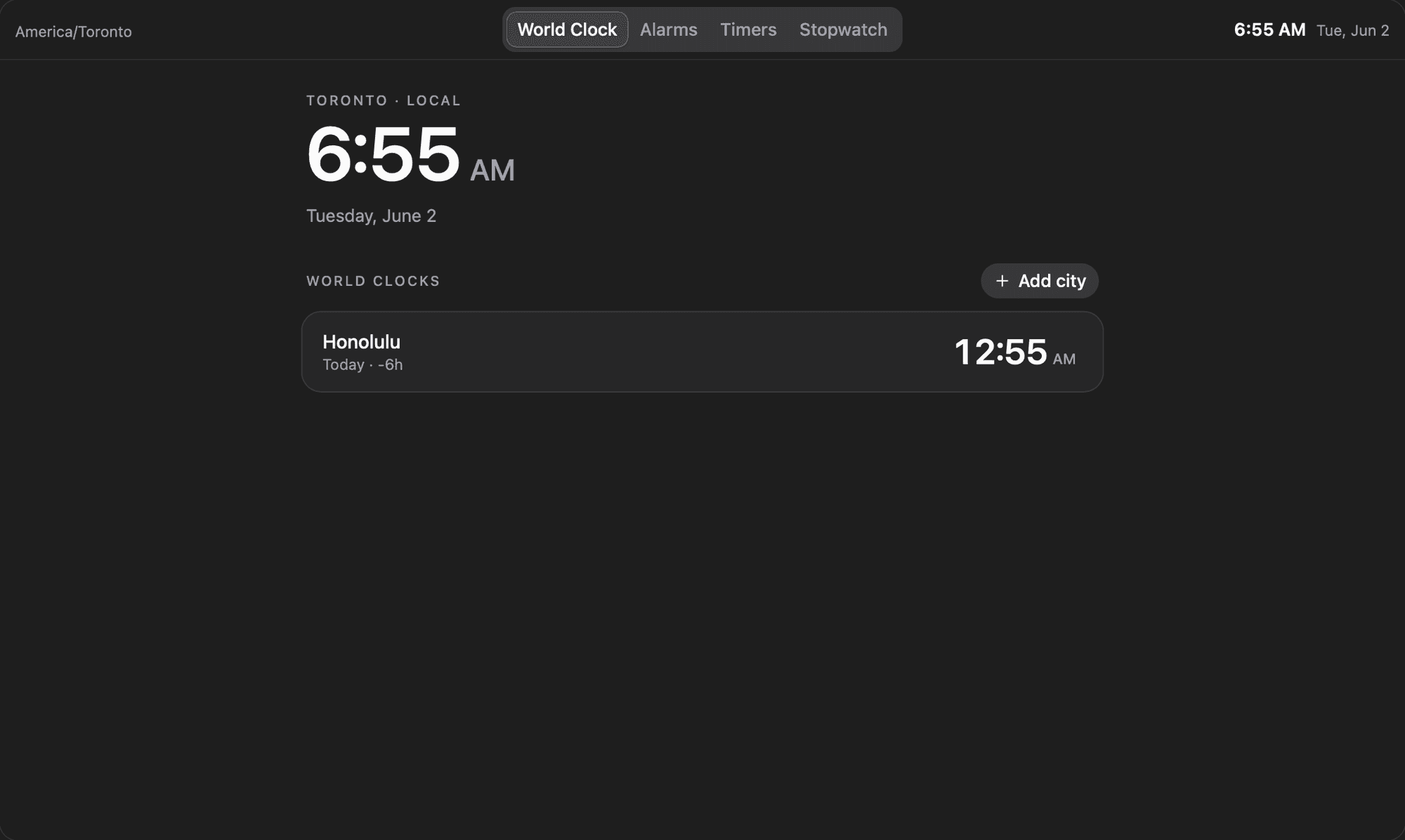
Clock brings alarms, multiple countdown timers, a stopwatch, and a set of world clocks together in one fast, local-first app. Everything lives in your workspace on your machine, with no accounts to connect, and four tabs across the top switch between each tool.
Highlights
- World Clock anchors a large local time and date, then lists any cities you add with their current time plus a relative-day label (Today, Tomorrow, Yesterday, or the weekday) and the hour difference from your zone, for example +3h
- Add cities from a searchable dialog covering common zones and every IANA time zone, each showing its UTC offset before you pick it
- Set alarms with a time picker, label, and per-day repeat toggles that read back as Once, Weekdays, Weekends, or Every day, each with its own on/off switch
- When an alarm fires it surfaces a dismissible banner with a synthesized chime, and one-shot alarms turn themselves off after ringing, just like a phone
- Run several countdown timers at once from 1, 3, 5, 10, 15, and 25-minute presets or a custom hours/minutes/seconds dialog, each with a circular progress ring and play, pause, and reset controls
- Time things with a stopwatch that shows tenths, records laps, and highlights your fastest and slowest splits
- Drive every view from the command palette to jump tabs or add a city, alarm, or timer without leaving the keyboard
Beyond its own tabs, Clock can share timers, alarms, and world clocks with other Moldable apps you approve, so a workflow can check the next alarm or start a timer for you. Install it for a clean, private place to keep time.
Get this app
- 1. Download and open Moldable.
- 2. Open the Store and install Clock in one click.
- 3. It updates itself over time — nothing to maintain.
More apps
Artifacts
Turn a chat into a beautiful, self-contained, publishable web page or slide deck — dashboards, landing pages, specs, charts, data stories, games, and 3D scenes.

Affirmations
Daily affirmations across ten themes, saved to your favorites
Bookmarks
Save on X. Find it here.
Calculator
Everyday, scientific, and unit/currency math — with history