

Piano
Moldable
v0.1.14·Music
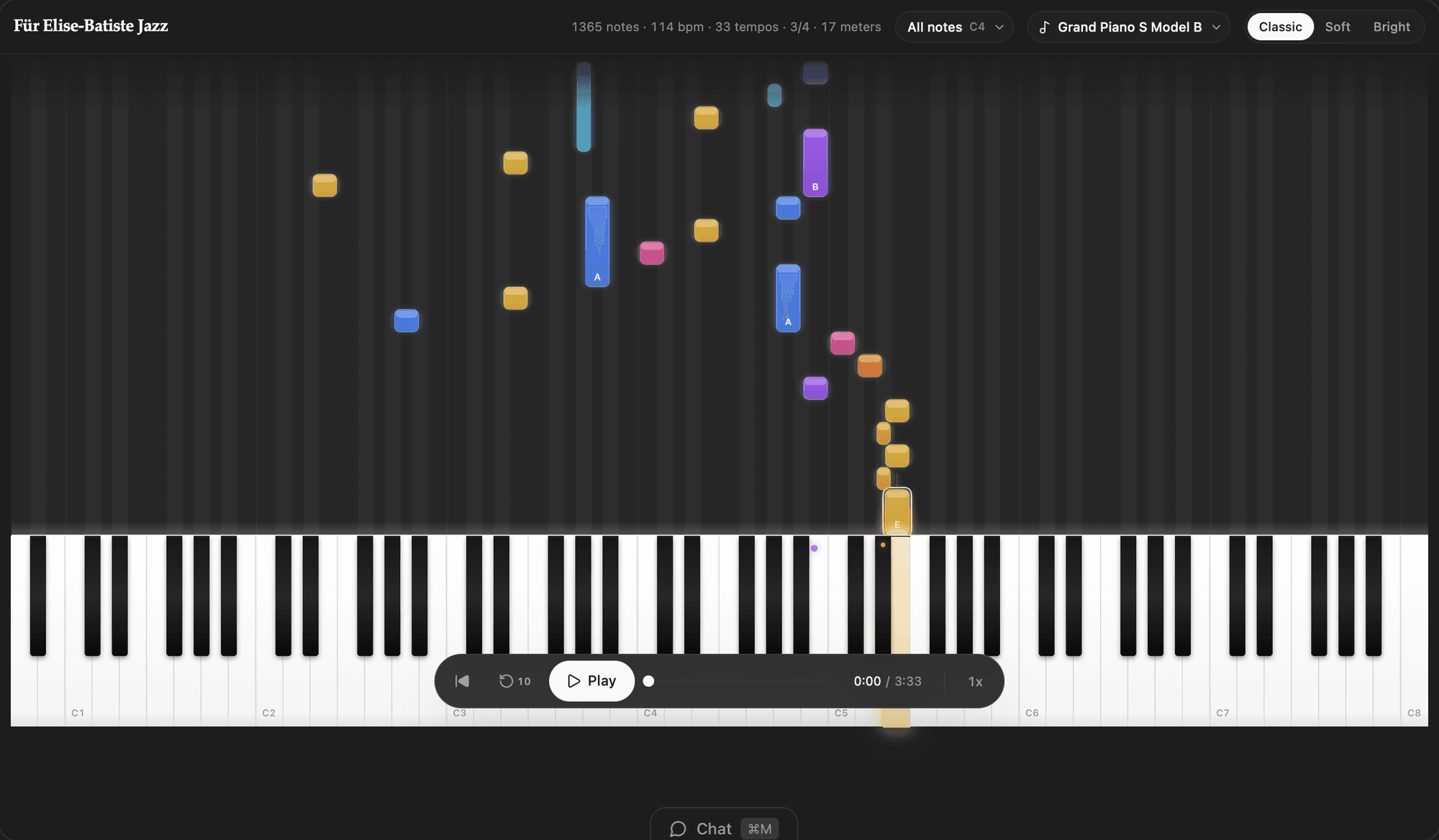
A local-first piano song library with 88-key playback and falling-note practice visualization.
About
A local-first piano practice studio: load songs, watch the notes fall toward a full 88-key keyboard, and play along at your own pace. Everything lives in your workspace, so your library, sounds, and progress stay on your machine.
Highlights
- Falling-note practice view synced to a full 88-key keyboard that highlights active and upcoming notes as the song plays.
- Hands-separate practice: isolate the left or right hand with an adjustable split point, or play the whole piece.
- Variable playback speed (0.1x to 2x) plus scrub, seek, and restart so you can drill tough passages.
- Organize a song library into folders, and follow structured courses with lessons, section-by-section tutorials, and saved completion progress.
- Import your own .mid/.midi files, and create or edit songs note-by-note straight from chat using the app's built-in song RPC.
- Swap instrument sounds with downloadable, high-quality SFZ instrument packs (including the Splendid Grand Piano); per-song sound settings install and select the right voice automatically.
- Fully local: no accounts, no external services, and no API keys — your songs and settings stay in your own workspace.
Install it to turn any MIDI or chat-generated piece into a guided, play-along practice session.
Get this app
- 1. Download and open Moldable.
- 2. Open the Store and install Piano in one click.
- 3. It updates itself over time — nothing to maintain.
More apps
Artifacts
Turn a chat into a beautiful, self-contained, publishable web page or slide deck — dashboards, landing pages, specs, charts, data stories, games, and 3D scenes.

Affirmations
Daily affirmations across ten themes, saved to your favorites
Bookmarks
Save on X. Find it here.
Calculator
Everyday, scientific, and unit/currency math — with history