

Reader
Moldable
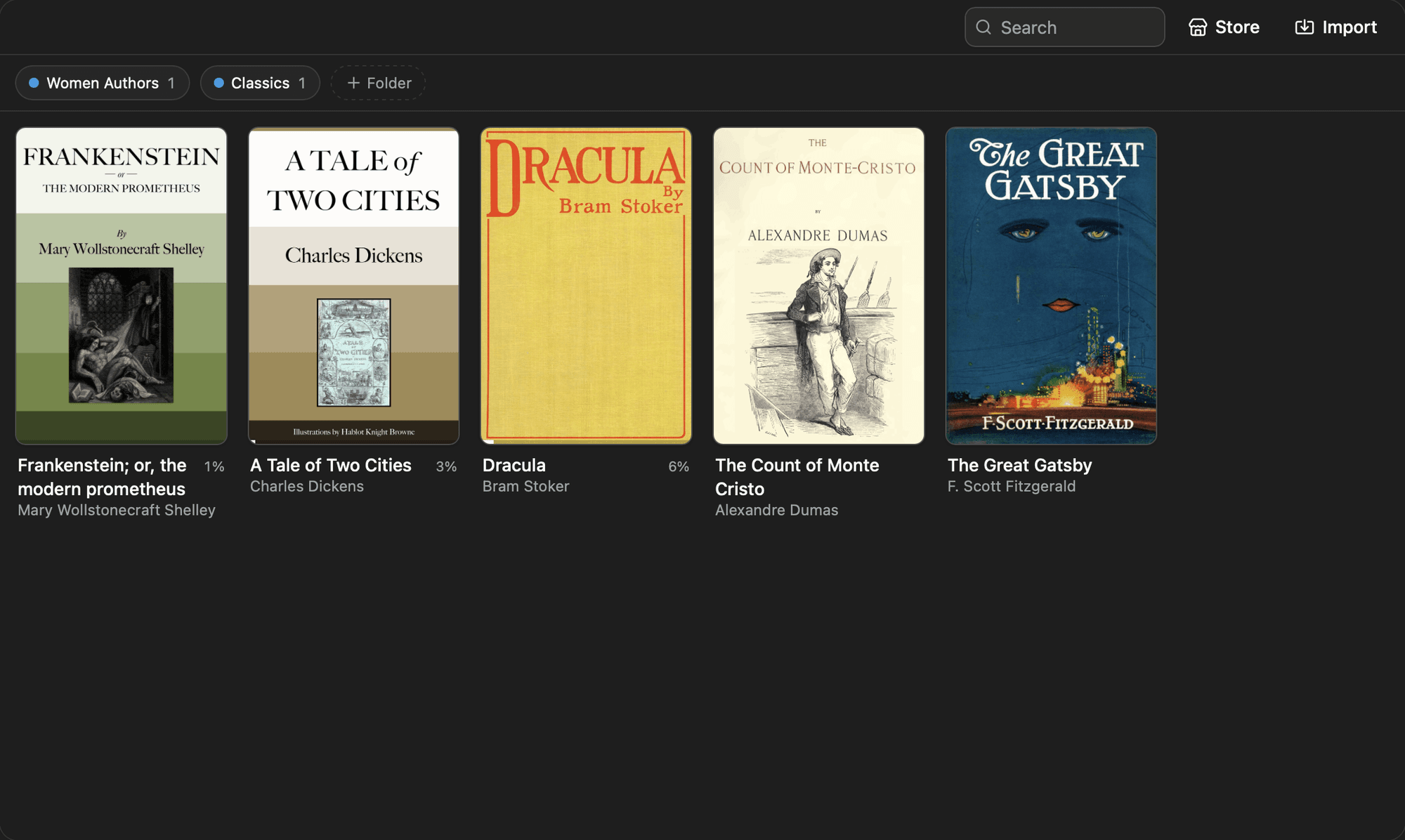
A local-first ebook reader. Open EPUB and text files, organize a library into folders, read with fully configurable typography and themes, or speed-read with an RSVP word-by-word mode.
About
A local-first ebook reader that keeps your whole library on your machine. Open EPUB and text files, organize them into folders, and read with fully configurable typography and themes, or switch to a word-by-word speed-reading mode when you want to move fast.
Highlights
- Import EPUB and .txt files by dragging them onto the library, picking files, or dropping them from the host, then browse a cover grid that sorts by what you read last and shows a progress bar on each book
- Organize with color-coded folders you can drag to reorder, filter the grid by tapping a folder chip, and move any book between folders from its card
- Read in a paged layout with tap zones on the left and right thirds, hover arrows, and arrow keys, or switch to a continuous scroll layout
- Tune the reading surface in a typography panel: four typefaces including a bundled OpenDyslexic, five themes (Paper, Sepia, Slate, Dark, Night) plus System, text size, line height, content width, and justification
- Search the full text of a book and jump straight to a hit, with a one-tap undo that returns you to exactly where you were, plus a table-of-contents drawer and working internal EPUB links
- Speed-read any book with an RSVP overlay that flashes one word at a time on a focal guide with a highlighted pivot letter, or two to four words at once, with adjustable words-per-minute, punctuation pauses, and Space and arrow controls
- See a reading-time estimate that quietly learns your actual pace from page turns and scrolling, with progress saved and resumed across sessions
A built-in book store searches Project Gutenberg and Open Library for public-domain titles you can install in one click. Install it for a private, polished reading library that lives entirely on your own machine.
Get this app
- 1. Download and open Moldable.
- 2. Open the Store and install Reader in one click.
- 3. It updates itself over time — nothing to maintain.
More apps
Artifacts
Turn a chat into a beautiful, self-contained, publishable web page or slide deck — dashboards, landing pages, specs, charts, data stories, games, and 3D scenes.

Affirmations
Daily affirmations across ten themes, saved to your favorites

Bookmarks
Save on X. Find it here.
Calculator
Everyday, scientific, and unit/currency math — with history