


Remotion
Moldable
Create programmatic videos with Remotion - manage projects, preview compositions, and render videos
About
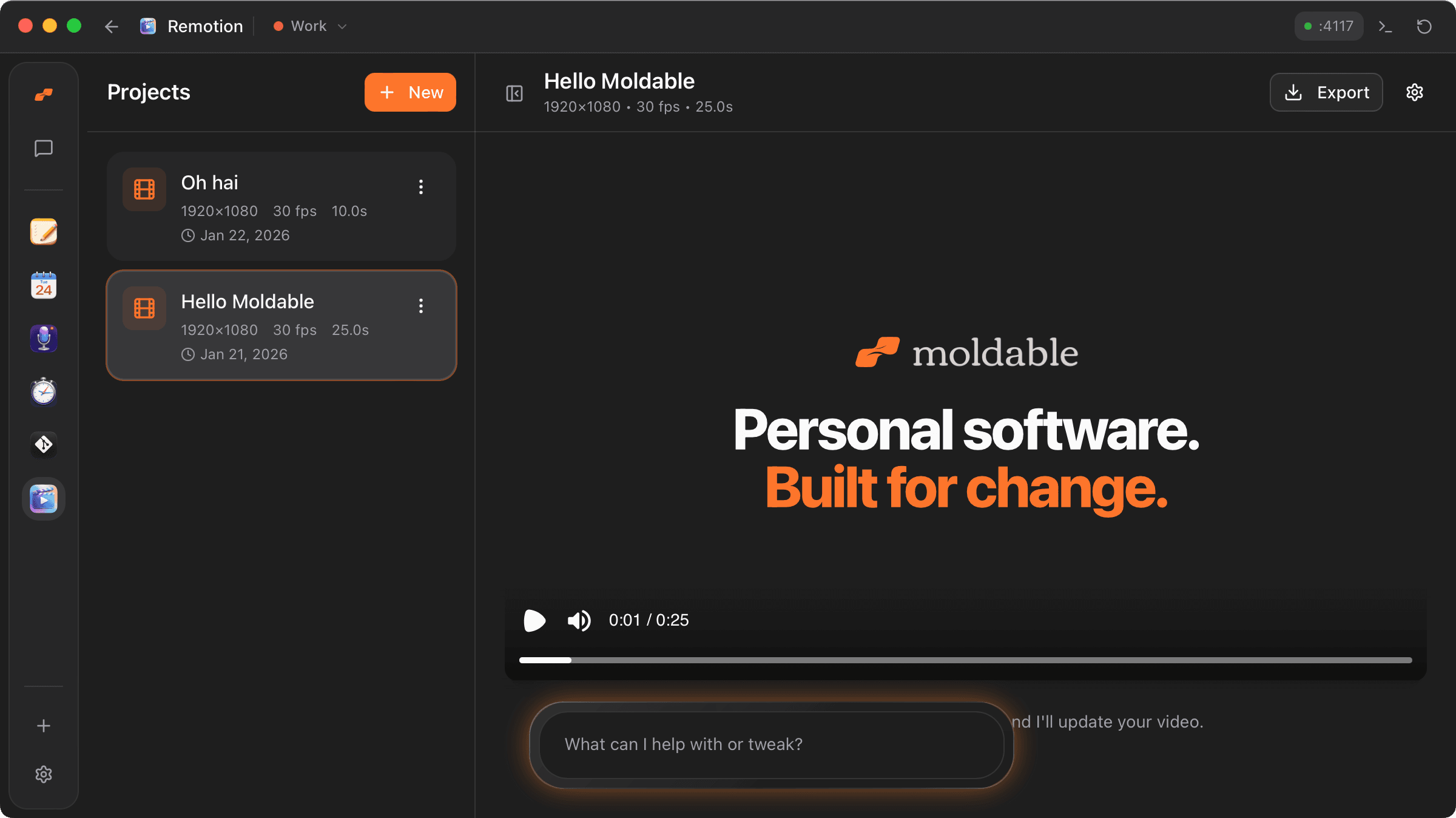
Remotion turns video into something you can talk to. Create a project, describe the change you want, and watch your composition update in a live preview, then export the finished video to a file.
Highlights
- Manage multiple video projects in a sidebar, each with its own resolution, frame rate, and duration, with create, rename, and guarded delete (type-to-confirm).
- Edit videos in plain language: the app feeds your project's context to Moldable's AI chat, which writes and updates the underlying Remotion
Composition.tsxfor you. - Live preview powered by the Remotion Player, with compositions compiled in-browser so changes show up immediately, no manual build step.
- Render and export your composition to a video file, with progress, cancel, and a completion dialog that lets you copy the path or reveal it in Finder.
- Self-healing edits: composition errors are caught and sent straight to chat as a fix-this prompt, so a broken render becomes the next instruction.
- Configure project settings (name, width, height, fps) any time, with auto-duration handled by the composition itself.
Runs entirely on your machine through Moldable, with no external API keys or services required. Worth installing if you want to produce programmatic, code-backed videos without touching a terminal.
Get this app
- 1. Download and open Moldable.
- 2. Open the Store and install Remotion in one click.
- 3. It updates itself over time — nothing to maintain.
More apps
Artifacts
Turn a chat into a beautiful, self-contained, publishable web page or slide deck — dashboards, landing pages, specs, charts, data stories, games, and 3D scenes.

Affirmations
Daily affirmations across ten themes, saved to your favorites

Bookmarks
Save on X. Find it here.
Calculator
Everyday, scientific, and unit/currency math — with history