


Scribo Languages
Moldable
Language learning journal with AI-powered translations
About
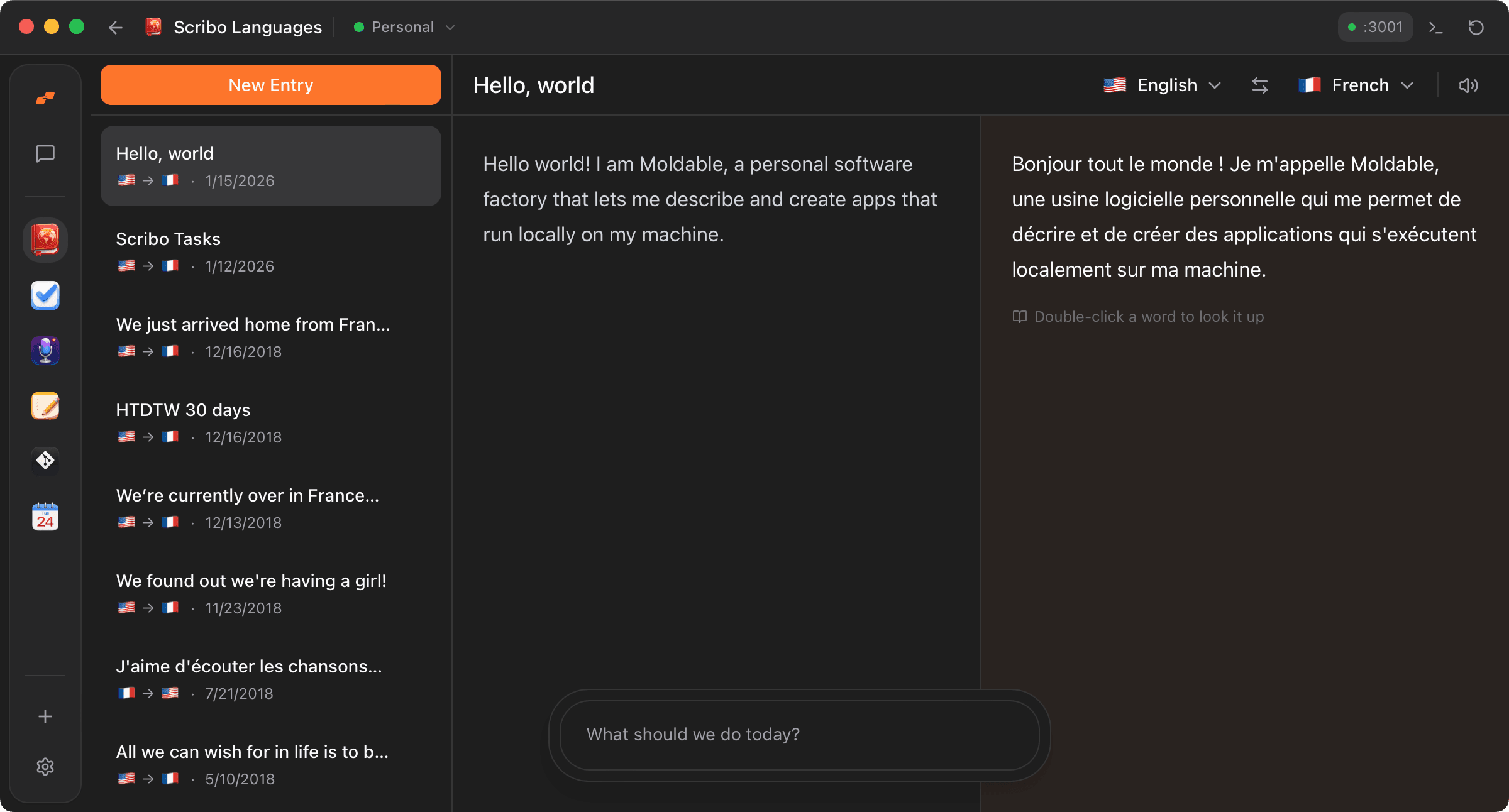
Scribo is a side-by-side language journal: write in one language, watch a live translation appear as you type, and dig into any word without leaving the page. It is built for people learning a language who want to draft, translate, and study in one place.
Highlights
- Split editor with a markdown writing pane and a live translation pane that updates automatically about a second after you stop typing
- Double-click any word in the translation to pull up its phonetic spelling, parts of speech, definitions, examples, and back-translations in a popup
- One-click language swap that flips source and target text, plus a picker covering 23 languages including right-to-left support for Arabic
- Listen to the translation read aloud with streaming text-to-speech pronunciation
- Entries are saved locally with a per-entry translation cache, so revisiting work is instant and your journal stays on your machine
- Exposes its entries and translation engine as agent capabilities (list, search, create, update, delete, and translate markdown), so other tools and assistants can work with your journal
Connects to: DeepL for translations, ElevenLabs for spoken pronunciation, and FreeDictionaryAPI for word lookups. Your DeepL key is required; ElevenLabs is optional.
If you keep a journal to practice a language, Scribo turns each entry into a translation, a pronunciation, and a dictionary all at once.
Get this app
- 1. Download and open Moldable.
- 2. Open the Store and install Scribo Languages in one click.
- 3. It updates itself over time — nothing to maintain.
Connections
- DeepL API Key — Powers automatic translations between languages
You'll be asked to connect these after installing. Keys are securely stored in aivault and never exposed to agents.
More apps

Artifacts
Turn a chat into a beautiful, self-contained, publishable web page or slide deck — dashboards, landing pages, specs, charts, data stories, games, and 3D scenes.

Affirmations
Daily affirmations across ten themes, saved to your favorites

Bookmarks
Save on X. Find it here.
Calculator
Everyday, scientific, and unit/currency math — with history