

Build a Google Calendar App
Create a calendar that syncs with Google Calendar and shows your events in a clean month view.
Describe what you need
Calendar apps should show you what matters without clutter. Build a view that helps you plan your day at a glance.
Build me a calendar app that:
- Connects to my Google Calendar with OAuth
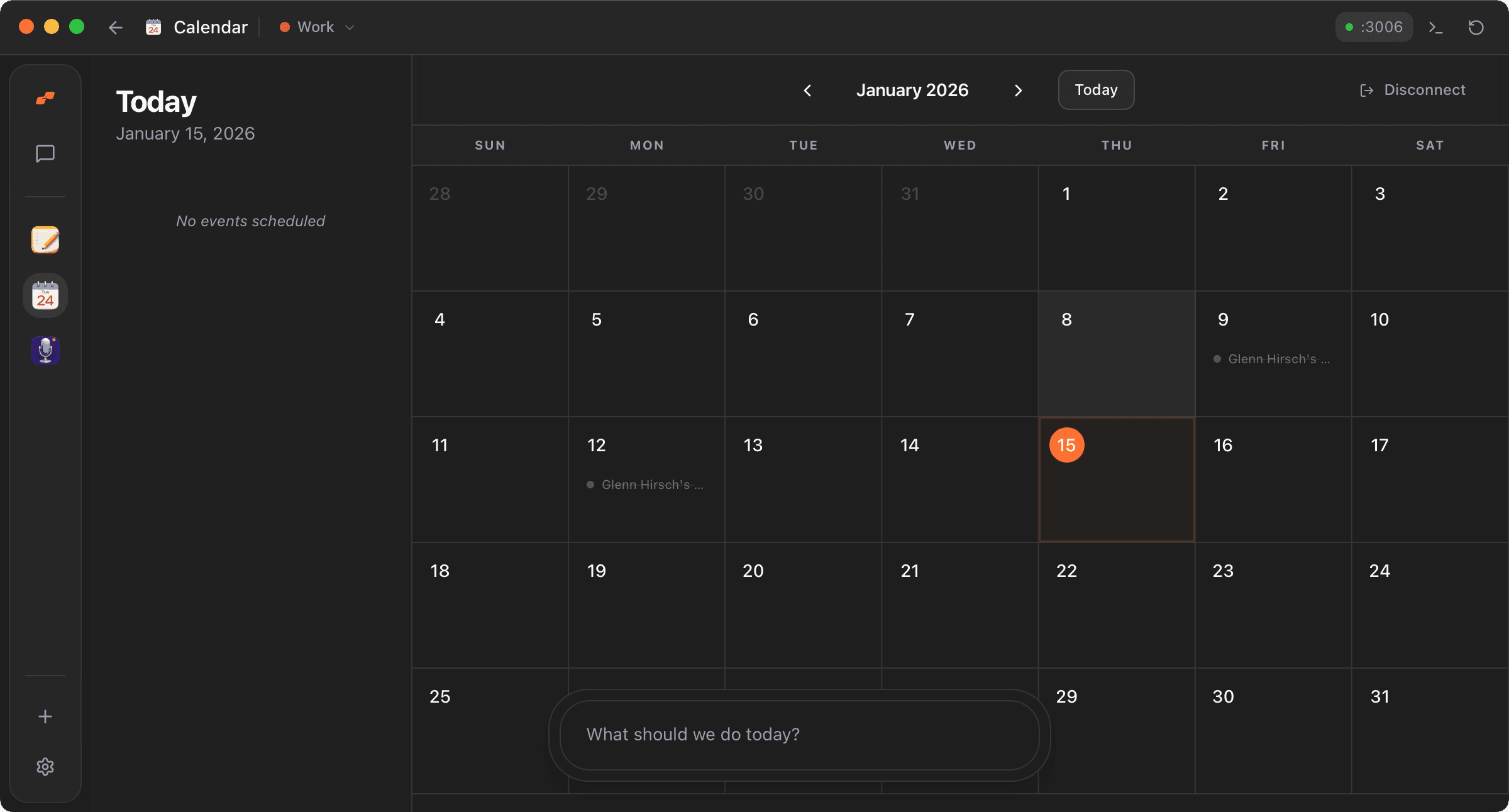
- Shows a month view with events displayed on each day
- Has a sidebar showing the agenda for the selected day
- Shows event details like time, location, and meeting links
- Lets me navigate between months easily
Watch Moldable build it
Moldable creates a calendar with Google Calendar sync, a responsive month grid, and a daily agenda sidebar.
From Moldable
I'll create a calendar app with Google Calendar sync.
Setting up the app...
✓ Set up Google OAuth authentication
✓ Created month view grid with navigation
✓ Built daily agenda sidebar
✓ Added event popovers with details
✓ Color-coded events from calendar
✓ Meeting link integration
Your app is ready! Connect your Google account to see your events.
Customize and extend
Add features for how you use your calendar.
Add event creation
Let me create new events directly from the calendar view
Add week view
Add a week view that shows hourly time slots
Add multiple calendars
Let me toggle different calendars on and off
Tips for best results
Set up Google Calendar API
You'll need Google Cloud credentials for the OAuth flow. The app guides you through setup.
Use the sidebar
Click any day to see that day's agenda in detail. It's faster than opening each event.
Your data stays local
Events are fetched from Google but displayed locally. Nothing is stored on external servers.
Ready to build your own?
Download Moldable and start creating apps that work exactly the way you want.
Download Moldable