

Build a Custom Code Editor
Create a full-featured development environment with a file tree, multi-tab editor, and integrated browser preview.
Describe your ideal IDE
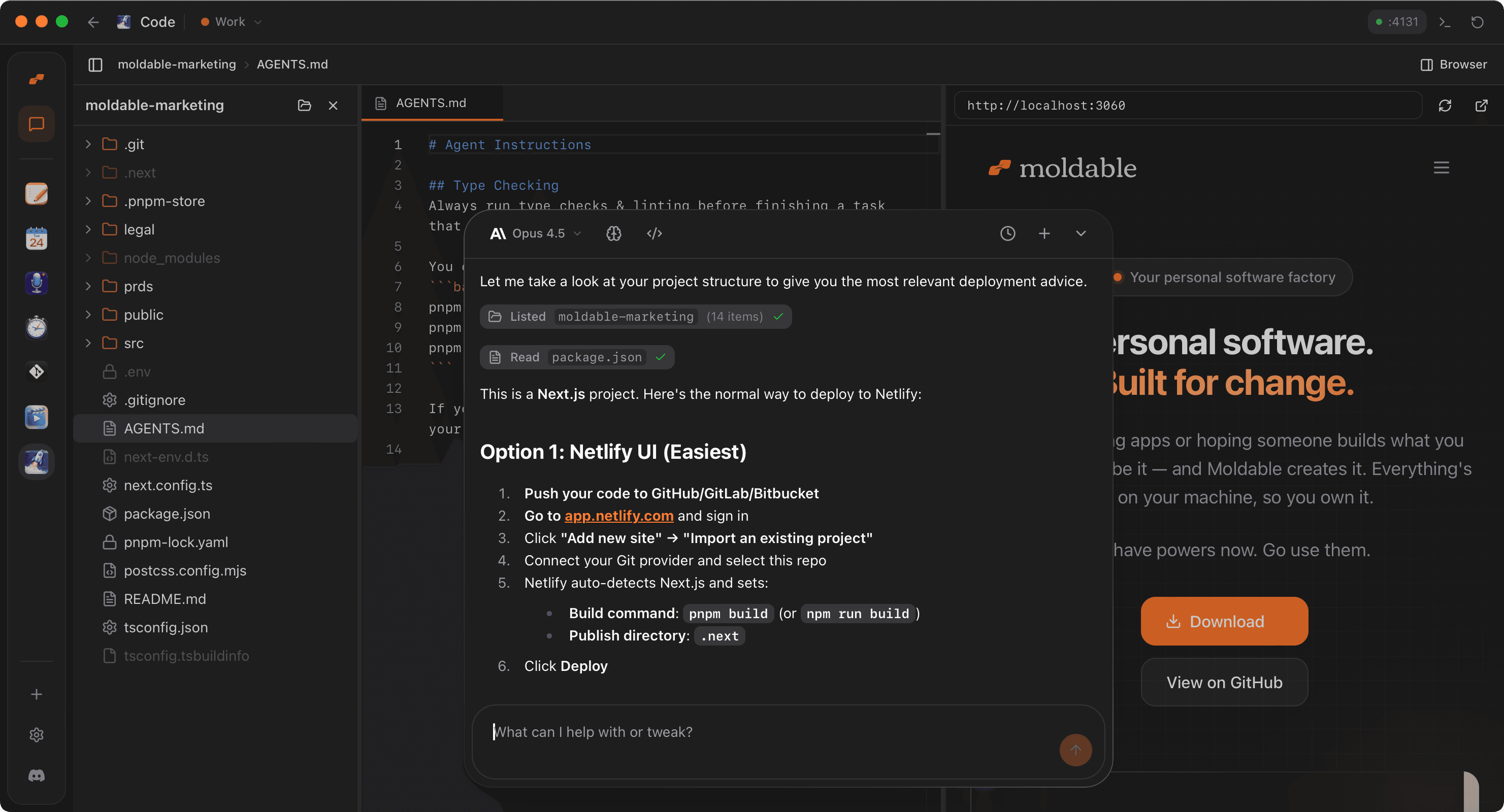
Every developer has a preferred setup. Describe the exact layout and features you need for your workflow — from specific language support to integrated tools.
Build me a code editor app that:
- Has a file tree to navigate projects
- Supports multiple tabs with syntax highlighting using Monaco
- Includes a command palette for quick actions
- Has an integrated browser preview for web projects
- Supports file operations like create, rename, and delete
- Persists open tabs and project state
Watch Moldable build the workspace
Moldable sets up a professional development environment, integrating the same editor engine that powers VS Code.
From Moldable
I'll create a full-featured IDE with a file tree and browser preview.
Setting up the app...
✓ Integrated Monaco Editor for high-performance editing
✓ Built recursive file tree with file system access
✓ Added multi-tab management with state persistence
✓ Integrated browser preview for real-time web development
✓ Added command palette for quick file search and actions
✓ Implemented file system operations (create, rename, delete)
Your IDE is ready! Open a folder to start coding.
Customize and automate
Since it's your IDE, you can add any tool or integration you need to stay in the flow.
Add terminal integration
Add an integrated terminal that runs in the bottom panel
Add Git status
Show Git status indicators in the file tree and gutter
Add AI pair programmer
Integrate a chat panel that can see my code and help me write functions
Tips for best results
Leverage Monaco's power
The editor supports everything from IntelliSense to multiple cursors. Moldable configures it for your primary languages automatically.
Use the Browser Preview
For web projects, the integrated preview is much faster than switching windows. It supports hot reloading out of the box.
Keep it focused
Don't add every feature at once. Start with the core tools you use daily and add specialized panels as you need them.
Ready to build your own?
Download Moldable and start creating apps that work exactly the way you want.
Download Moldable