

Build Programmatic Videos with Remotion
Create a custom video editor that uses React components to generate and render professional videos programmatically.
Describe your video app
Programmatic video allows you to automate video creation using just words. Describe how you want to manage your video projects and what kind of content you want to generate.
Build me a video editor app using Remotion that:
- Lets me create video projects with React components
- Has a live preview player to see changes in real-time
- Supports adding text overlays, images, animations, and audio
- Renders the final video to MP4 using Remotion's renderer
Watch Moldable build the studio
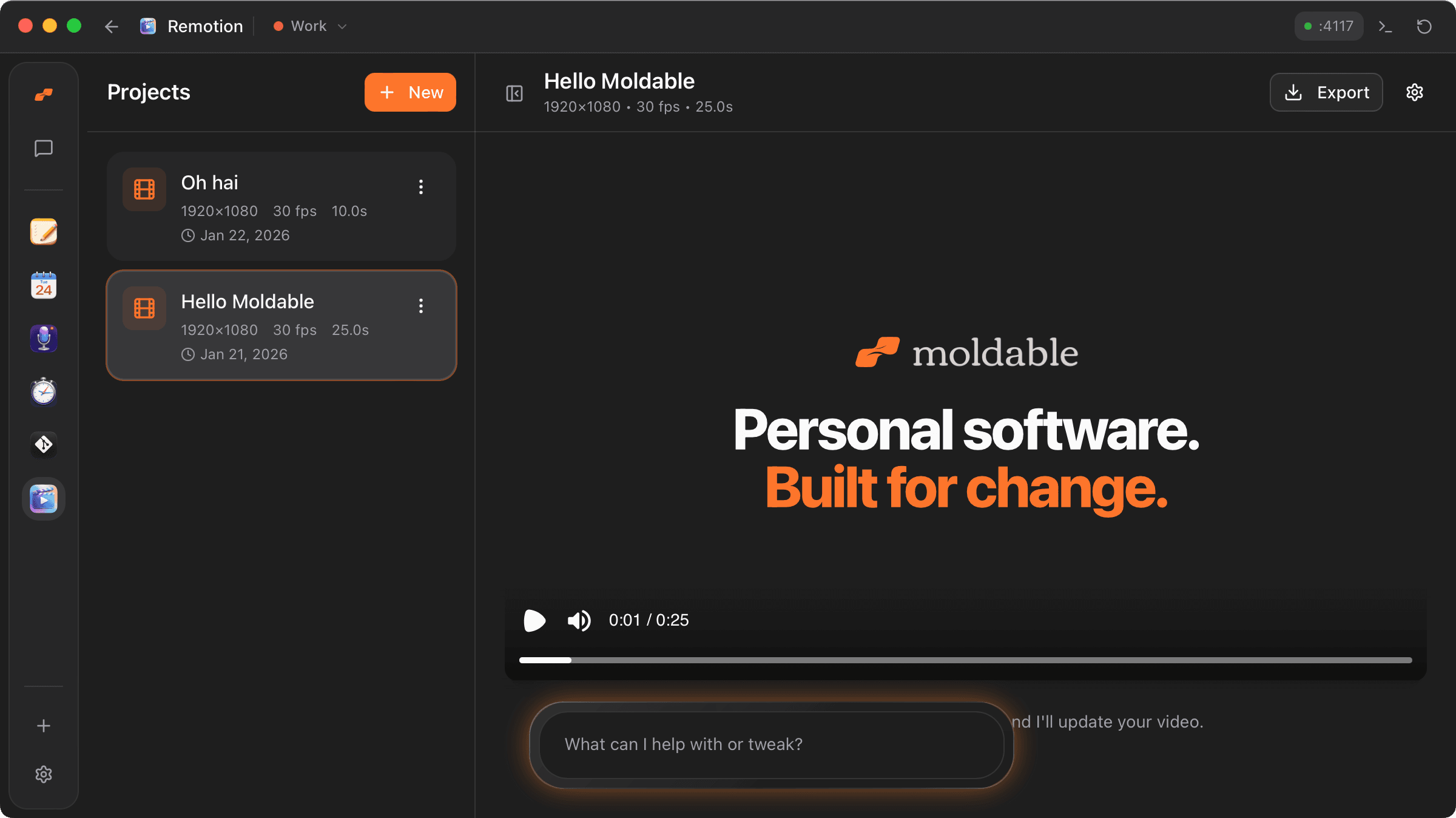
Moldable sets up a full Remotion environment, including the player for real-time preview and the rendering engine for exporting files.
From Moldable
I'll create a programmatic video editor using Remotion and React.
Setting up the app...
✓ Initialized Remotion project structure
✓ Integrated @remotion/player for real-time preview
✓ Built project management system for multiple video compositions
✓ Added dynamic text and image property controls
✓ Connected @remotion/renderer for MP4 export
Your video studio is ready! Start by creating your first composition.
Customize and automate
Since your videos are just React components, you can connect them to any data source or automate the entire production pipeline.
Add data-driven overlays
Connect the video components to an external API to automatically generate personalized welcome videos for new users
Add audio waveforms
Integrate @remotion/media to show animated audio waveforms that sync with a background track
Batch rendering
Add a feature to queue and render multiple versions of a video with different localized text
Tips for best results
Leverage React's ecosystem
Use any React library for animations (like Framer Motion) or data visualization within your video compositions.
Optimize for rendering
Keep your compositions efficient. Remotion renders frame-by-frame, so complex components will take longer to export.
Use the Player for fast iteration
The live preview player is much faster than rendering. Use it to perfect your animations before starting a full render.
Ready to build your own?
Download Moldable and start creating apps that work exactly the way you want.
Download Moldable