Recipes
Moldable
v0.1.6·Lifestyle
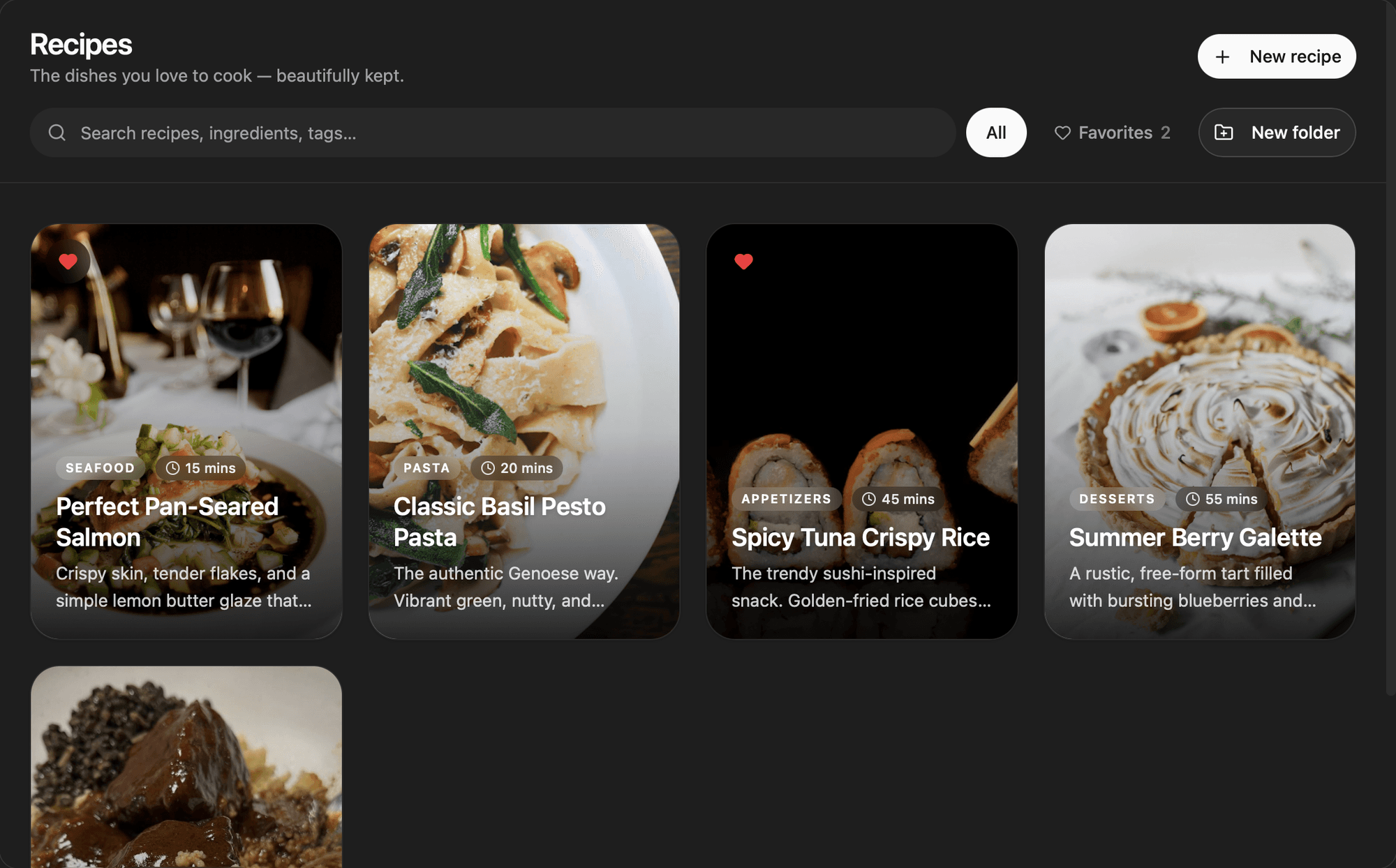
A photo-centric recipes app with beautiful cards, folders, rich Markdown steps, and a hands-free cook mode.
About
A photo-centric recipe keeper that lives on your machine, with big image cards, color-tagged folders, rich Markdown steps, and a hands-free Cook Mode for when your hands are in the dough. Capture a dish, make it beautiful, and pull it up when it's time to cook.
Highlights
- Browse recipes as tall photo cards in a responsive grid; hover lifts a card and reveals quick favorite and move actions, and every card opens to a full hero-image detail view
- Add a hero photo by drag-and-drop, paste, or click, including dragging straight from Finder, and drop images inline into any instruction step
- Write instructions in a rich Markdown editor; a numbered list automatically becomes the steps for Cook Mode, and ingredients are one per line
- Cook Mode goes full-screen and walks one step at a time with a progress bar, dot navigation, and left/right arrow keys to move hands-free
- Tick off ingredients as you go with a checklist that strikes through what you've used
- Organize with color-toned folders that show a four-photo mosaic and recipe count; move any recipe between folders or back to the library from the card's menu
- Filter to All or Favorites, and search titles, descriptions, categories, tags, and ingredients as you type
Everything stays on your machine in your active workspace, with no accounts or services to connect, and uploaded photos are stored locally and served per workspace. Install it to keep the dishes you love in one beautiful, cook-ready place.
Get this app
- 1. Download and open Moldable.
- 2. Open the Store and install Recipes in one click.
- 3. It updates itself over time — nothing to maintain.